Turn a PDF, scan, or photo into a fully editable score.
Opuscan's AI-powered optical music recognition (OMR) reads the music printed on the page and rebuilds it as real notation you can play, transpose, arrange, and export to MusicXML or MIDI. You bring the sheet music. The AI does the typing.
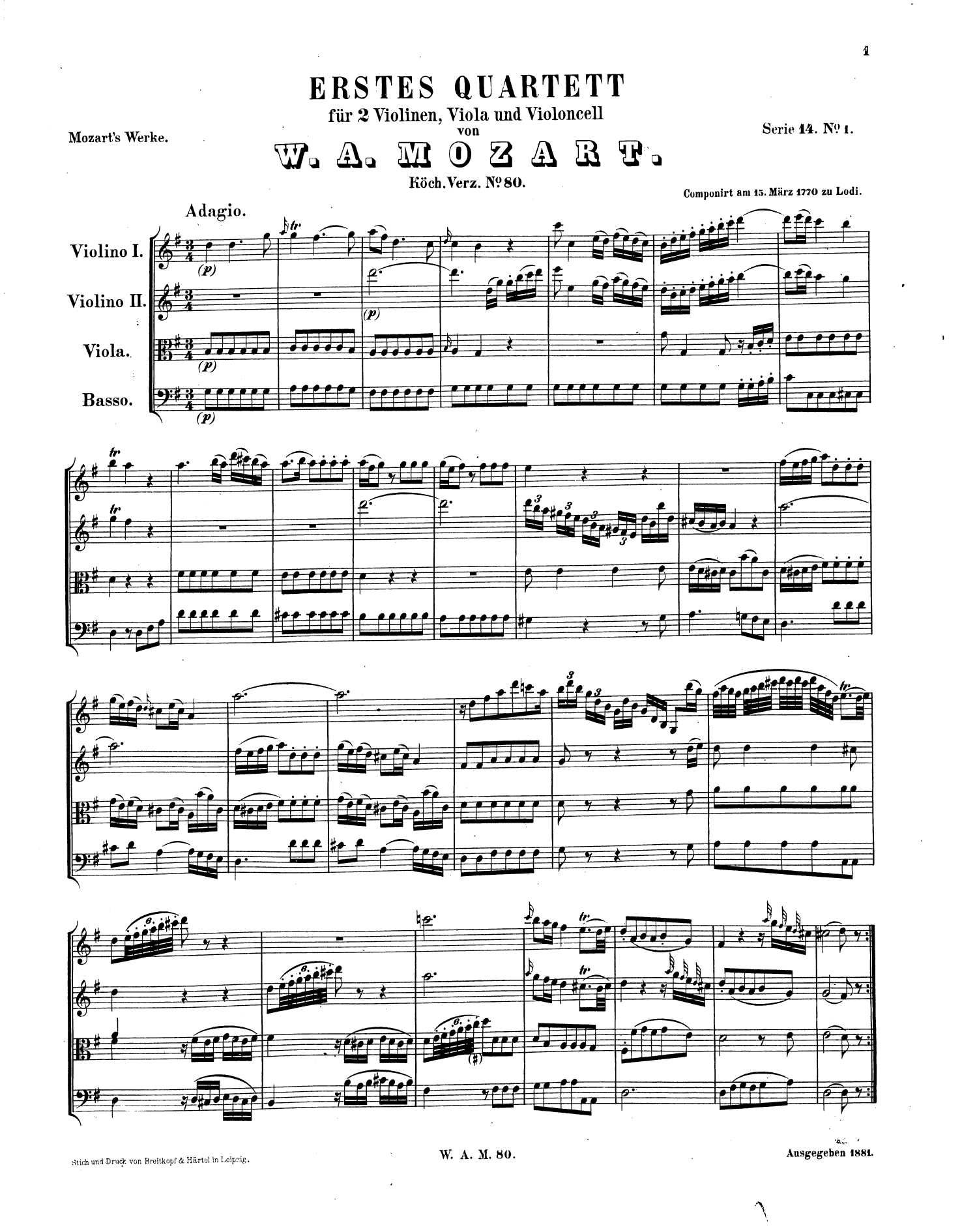
Printed page
- .musicxml
- .midi
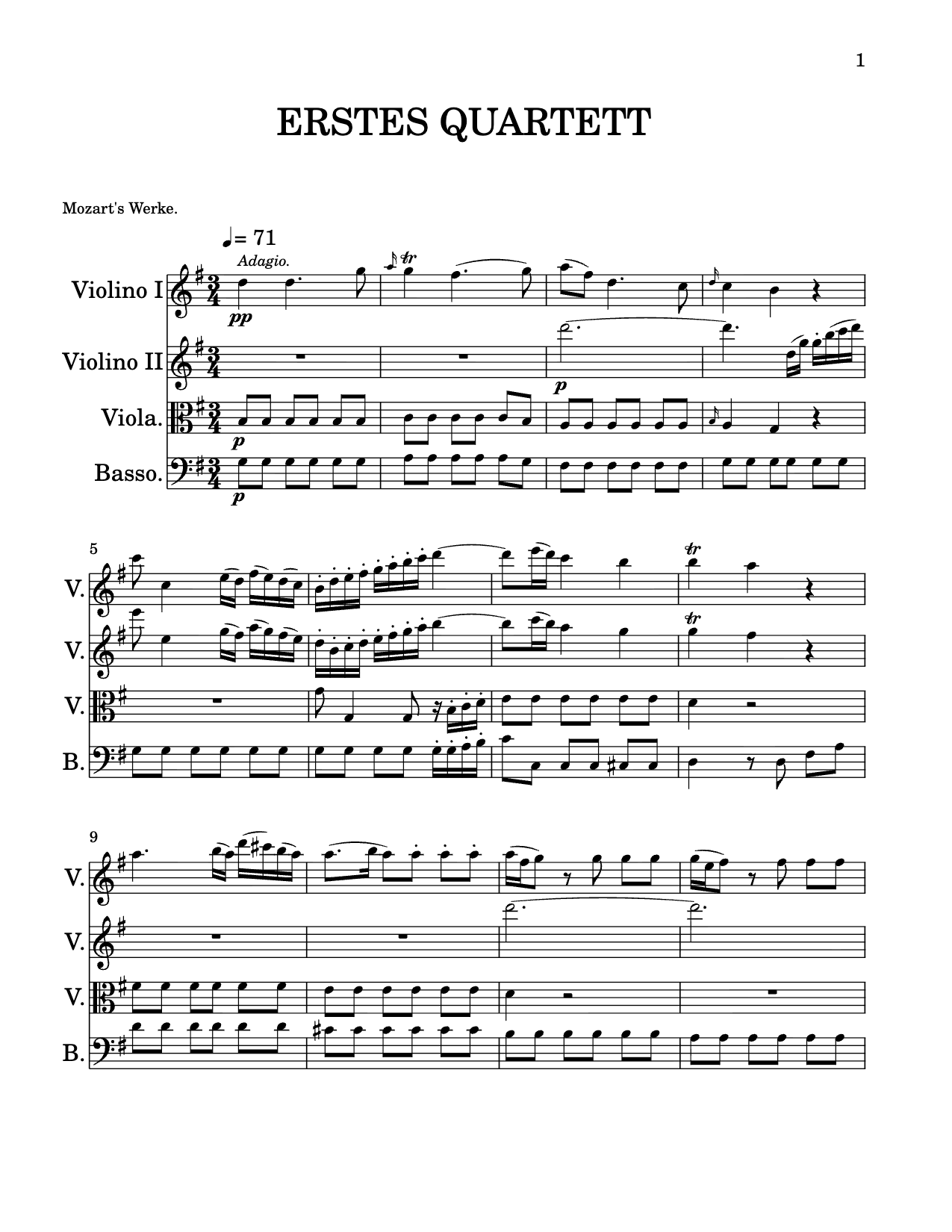
Editable score
A recognition AI that we build, train and improve ourselves.
Every PDF and photo is processed by Tutteo's own in-house deep-learning model, not a third-party engine. It doesn't just spot symbols, it reads them in musical context, the way a trained musician would, so the score it rebuilds actually makes sense.
- Reads rhythm, pitch and layout together, in context, not symbol by symbol
- Separates instruments and voices, and attaches lyrics, chords and text to the right notes
- Built end to end in-house, so it gets measurably better with every release
How it works
- Import your musicImport a PDF or image on your computer, or snap a photo right in the Opuscan mobile app.
- Opuscan reads the pageIt scans each page and recognises the staves, notes and symbols.
- Review, edit and exportYour music opens as a fully editable score. Review and fix anything, then transpose, arrange, play it back or export to MusicXML and MIDI for your notation editor.
Capture from your phone. The in-app camera uses on-device document scanning that finds the page, crops it and flattens the image before recognition. A cleaner capture means a cleaner conversion.
What Opuscan can read
Opuscan's OMR is built for standard Western music notation that has been engraved, meaning music typeset by notation software or professionally printed. That covers most sheet music, method books, parts and lead sheets.
Works well
- Printed or digitally engraved sheet music, including scans and photos of printed pages
- Solo parts, piano and other grand-staff music, and multi-instrument scores
- Lead sheets with chord symbols
Not supported
- Handwritten or hand-copied music
- Tablature (guitar/bass tab), which is not yet supported
- Pages with no standard notation (text-only, lyrics-only, cover pages)
Which notations are supported?
Within engraved Western notation, Opuscan recognises a wide range of symbols, including:
| Category | What Opuscan recognises |
|---|---|
| Clefs | Treble (G), bass (F), alto and tenor (C) in all positions, octave-shifted and percussion clefs, including clef changes within a piece and parts that print the clef only on the first line |
| Key signatures | All key signatures, from 7 flats to 7 sharps |
| Time signatures | 2/2, 3/2, 4/2, 2/4, 3/4, 4/4, 5/4, 6/4, 7/4, 8/4, 9/4, 3/8, 5/8, 6/8, 7/8, 9/8, 10/8, 11/8, 12/8, 13/8, 14/8, 15/8, 3/16, 6/16, 9/16, 11/16, 13/16, 15/16 and 17/16, plus common time and cut time |
| Note values | Whole down to 1024th notes, plus breve, long, and maxima, with augmentation dots |
| Rests | Regular rests and multi-measure rests |
| Tuplets | Triplets and other ratios (3:2, 2:3, 5:4, 6:4, 7:4, 7:8, 9:8 and more) |
| Beams | Standard beams, partial beams, hooks, custom beaming patterns and beams across rests |
| Pitches & chords | The full pitch range with ledger lines, chords and multiple voices on a single staff |
| Accidentals | Sharp, flat, natural, double sharp/flat, courtesy and microtonal (quarter-tone) accidentals |
| Ties, slurs & grace notes | Ties, slurs, grace notes, acciaccatura and cue (small) notes |
| Dynamics & hairpins | ppp to fff plus sf, sfz, fz, fp, rfz and more, with crescendo and decrescendo hairpins |
| Articulations | Staccato, staccatissimo, tenuto, accent, marcato, detached legato, breath marks, caesuras and jazz marks |
| Ornaments & tremolos | Trill, mordent, turn, wavy line and tremolos with 1 to 4 strokes |
| Lines & tempo | Octave lines (8va, 8vb, 15ma, 15mb), metronome marks with BPM and rit./accel. |
| Barlines & repeats | Normal, double, final, repeat and heavy-light barlines; voltas, Segno, Coda, D.C., D.S., To Coda and Fine |
| Measure repeats | Single-bar repeats (%) and rhythm slashes |
| Noteheads | Standard, X, circle-X, cross, diamond, triangle, square, slash and hidden noteheads |
| Multi-staff & percussion | Piano and grand-staff instruments (up to 7 staves), percussion staves and noteheads |
| Chord symbols | Chord symbols and charts, recognised as editable chords, not just text |
| Techniques & pedal | Harmonics, fingerings, bowing, pizzicato, stopped/open strings, thumb position and sustain pedal |
| Text & lyrics | Lyrics, rehearsal marks and text annotations |
Lyrics in non-Latin languages. Latin-script languages are recognised automatically. For Japanese, Korean, Chinese and Cyrillic-script languages, just select the language in the convert screen before you scan.
Best practices for accurate scans
The AI is good, but it can only clearly read what's on the page. A few habits make a big difference to how accurate your converted score is.
The golden rule. If it's hard for a human to read, it will be hard for the AI to read too. The cleaner and sharper your source, the better the conversion.
Do this
- Use high-resolution scans, or sharp, well-lit photos
- Lay the page flat and fill the frame, keeping it straight
- Prefer printed or digitally engraved music
- Use the in-app camera so the page is cropped and flattened automatically
- Import one piece per file, with one instrument per file for solo parts
What hurts recognition
- Low-resolution or blurry files
- Bent, warped or curved staves (photographing a book near the spine)
- Faint, partially erased or heavily marked-up notation
- Scanning artefacts, shadows or skewed and rotated pages
Optical music recognition, explained
What is optical music recognition (OMR)?
OMR is the music equivalent of OCR for text: software that reads the notation printed on a page and rebuilds it as structured, editable music. Opuscan uses an AI model to recognise staves, notes, rhythms, lyrics and dynamics, then gives you a real score you can play and export. See Opuscan's music OCR software.
Can AI convert a PDF of sheet music into an editable score?
Yes. Opuscan converts PDFs and photos of printed or engraved sheet music into fully editable scores, and exports standard MusicXML and MIDI for MuseScore, Dorico, Sibelius, Flat and any DAW.
Does it work on a photo taken with my phone?
Yes. The in-app camera uses on-device document scanning that finds, crops and flattens the page before recognition. For the most accurate result, see the best practices above.
Is handwritten music or tablature supported?
Not yet. Opuscan is built for standard Western notation that has been engraved or printed. Handwritten music, guitar/bass tablature and pages with no standard notation are not supported.
Convert & export
Automate score conversions.
The same recognition that powers Opuscan is available as an API. Send a PDF or image, get structured MusicXML back, ready to store, render or edit.
One API, your whole catalogue.
- Upload a PDF or image, download MusicXML or MIDI
- The same model behind the apps, no accuracy trade-off
- Batch entire catalogues, hands-free