Small
€9.99
30 pages
€0.33 per page
- Try it on a few scores
- All export formats
Opuscan reads printed music and PDFs and rebuilds them as a clean, editable score, with pitches, rhythms, lyrics, and layout intact. Convert here, finish in the notation editor you already use.
 Requires macOS · Pay only for what you scan · No subscription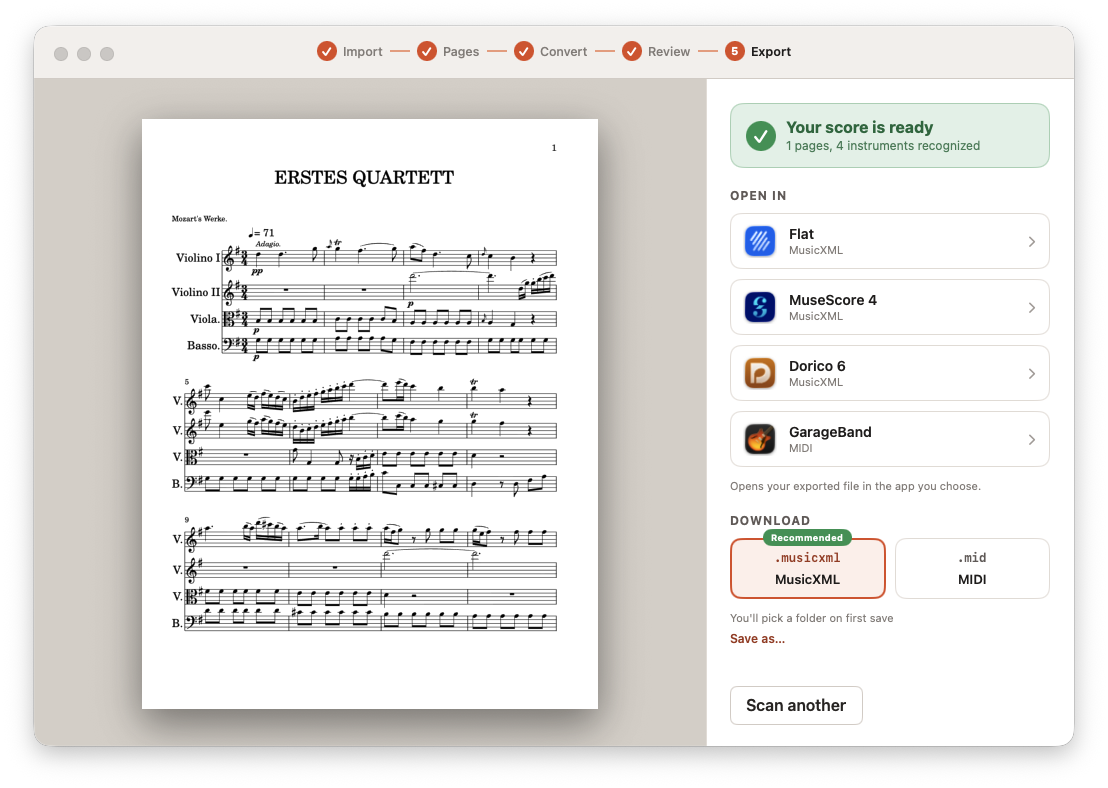
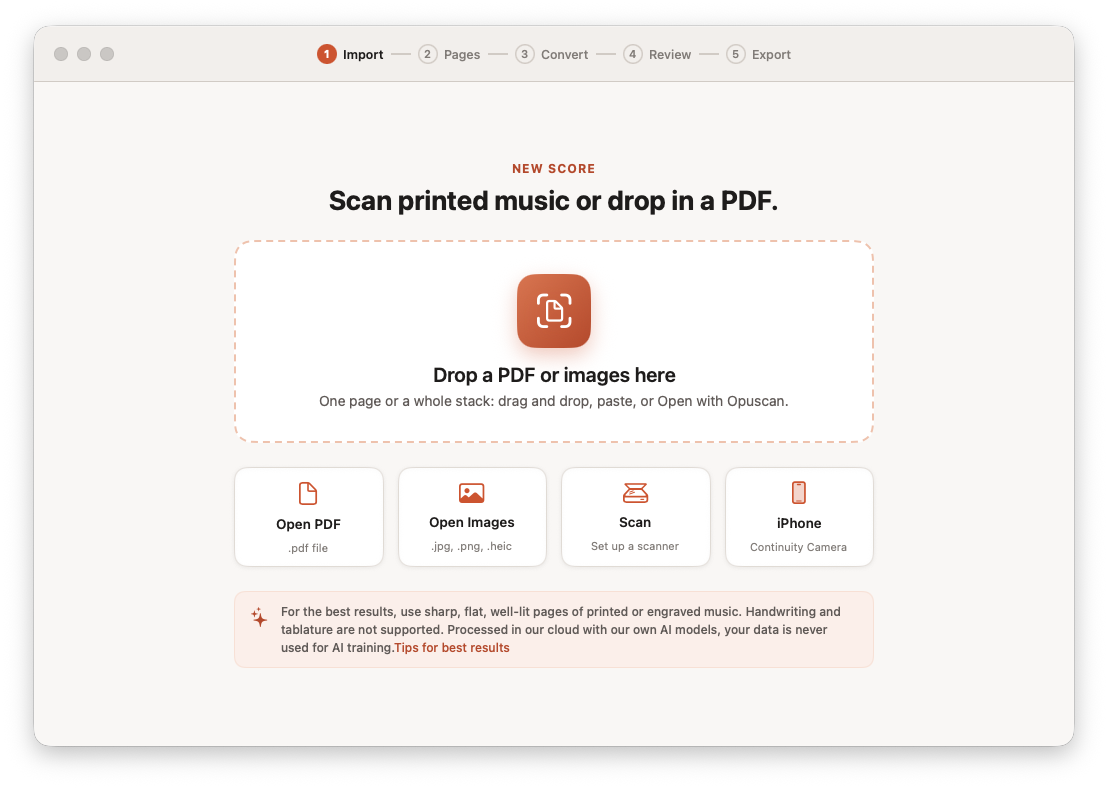
Drag and drop a PDF or photos, open a file, or pull pages straight from a connected scanner or your iPhone. One page or a whole stack.
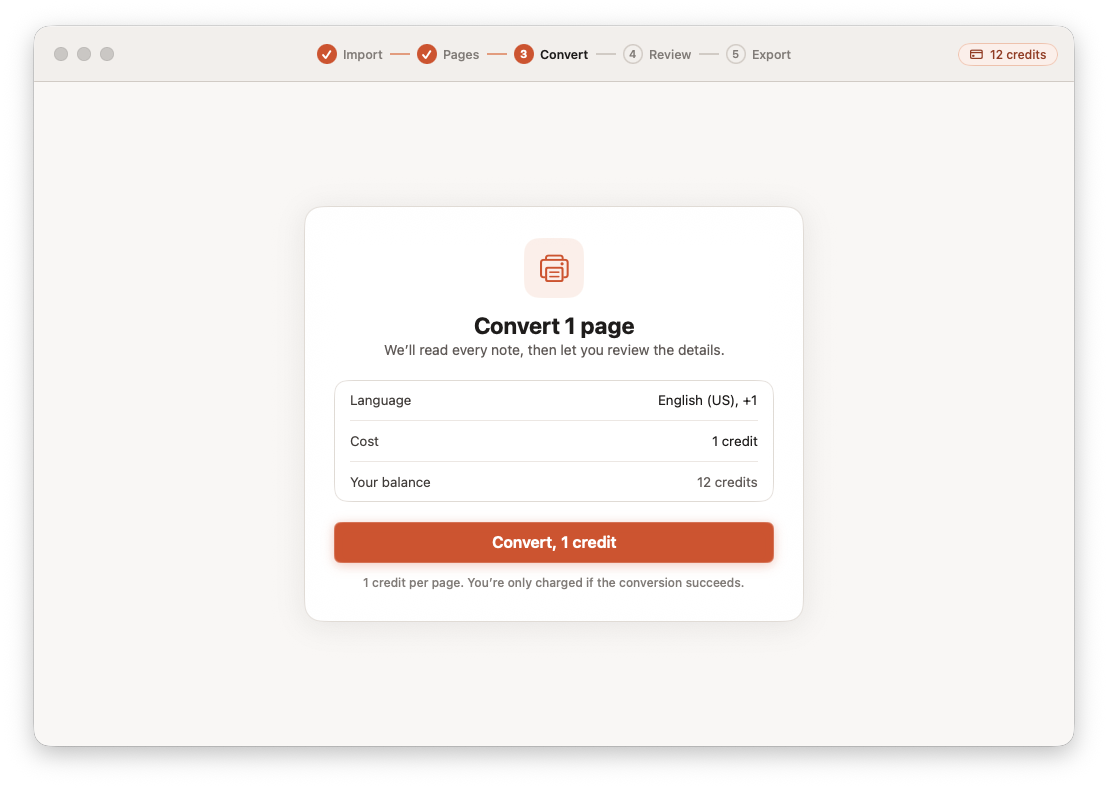
Confirm the language and convert. Opuscan reads the staves, notes, key signatures, and tempo in the cloud with Tutteo's own models. One credit per page, and you're only charged when a conversion succeeds.
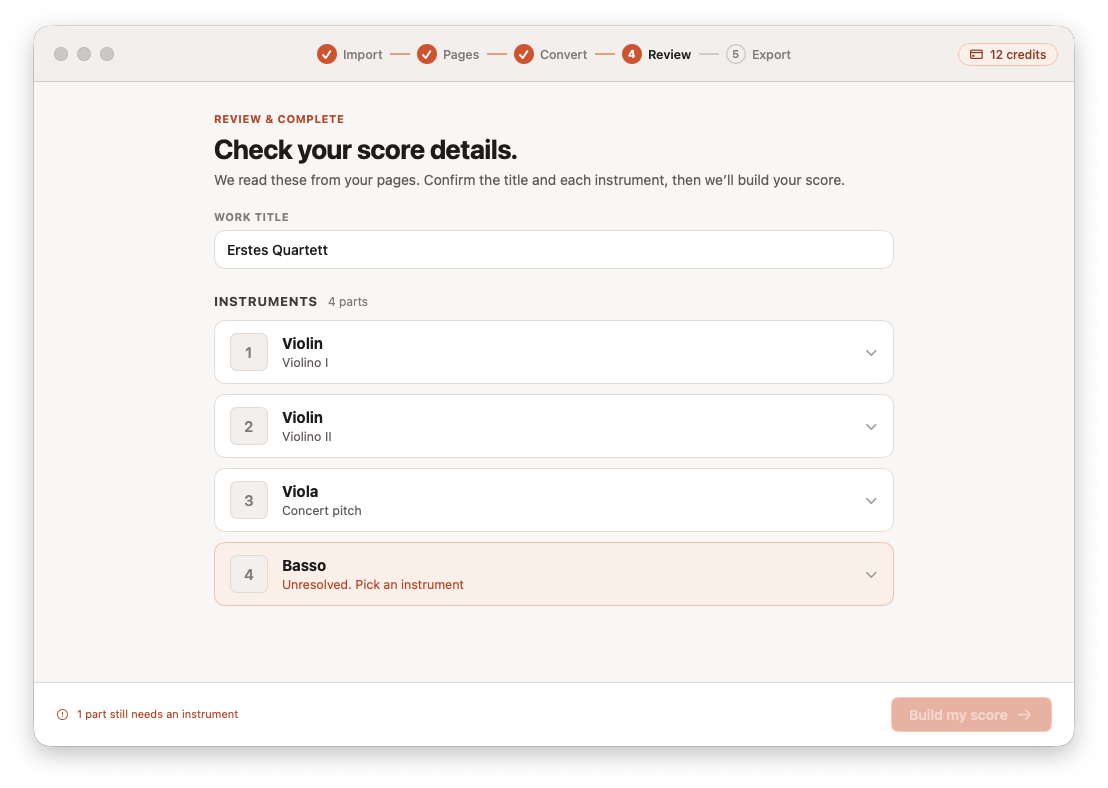
Confirm the title and each detected instrument. Anything the engine wasn't sure about is flagged, so you resolve it before the score is built, not after.
Send the result to MuseScore, Dorico, Sibelius, or Finale, or download MIDI for Logic Pro, GarageBand, and any DAW. Pick a folder once and keep scanning.
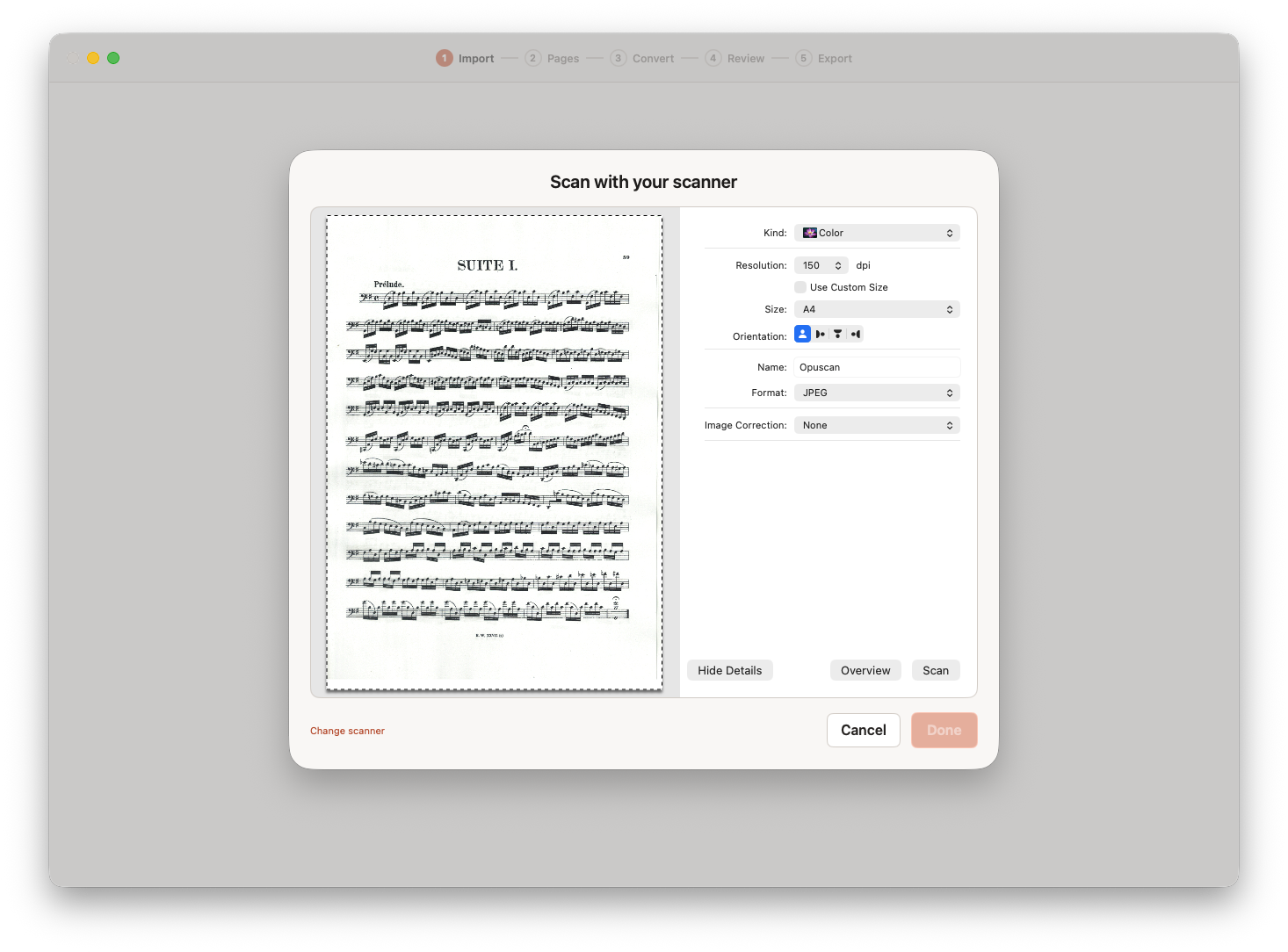
Opuscan plugs into macOS document scanning, so a connected flatbed or sheet-fed scanner - or your iPhone over Continuity Camera - feeds pages directly into a conversion.
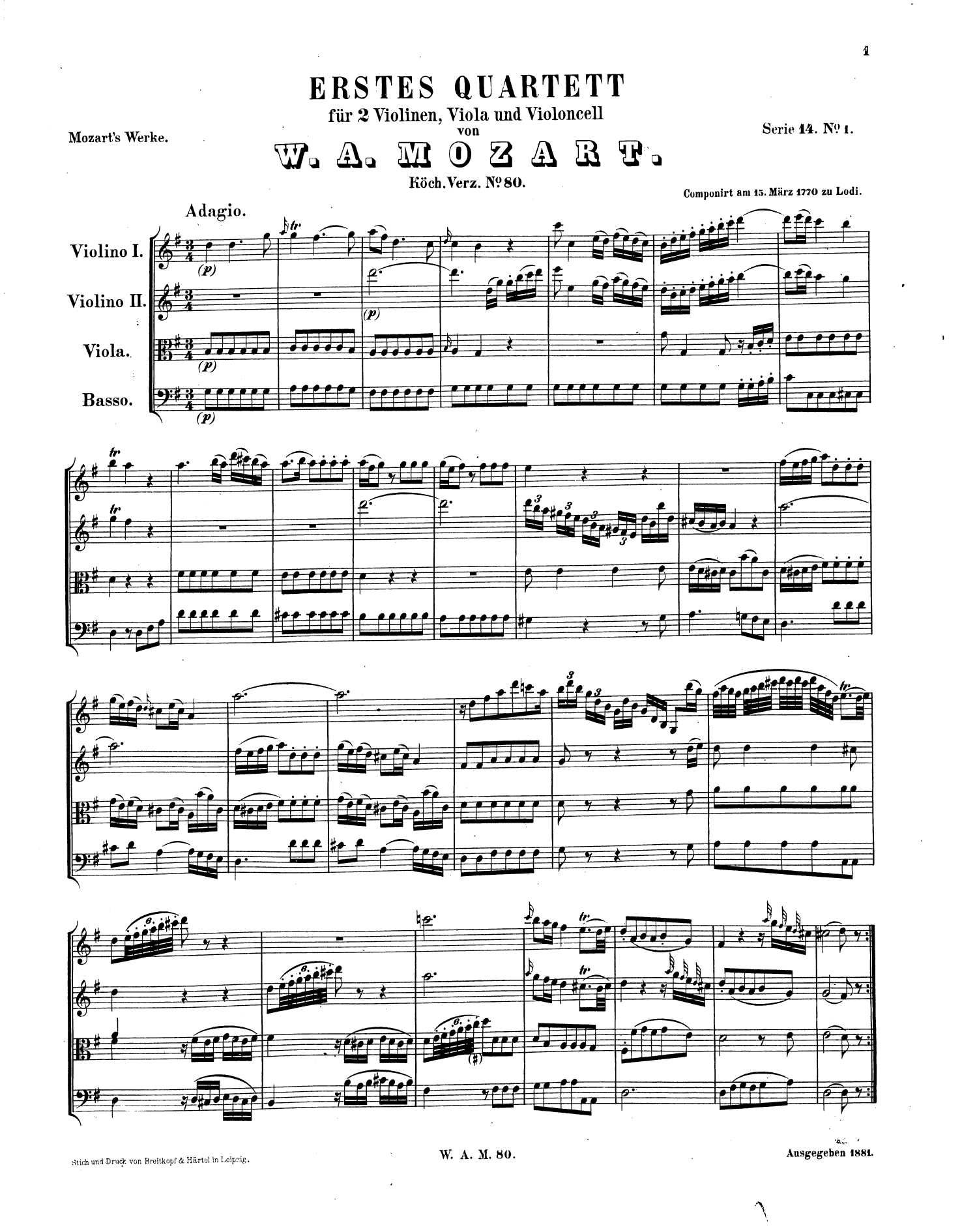
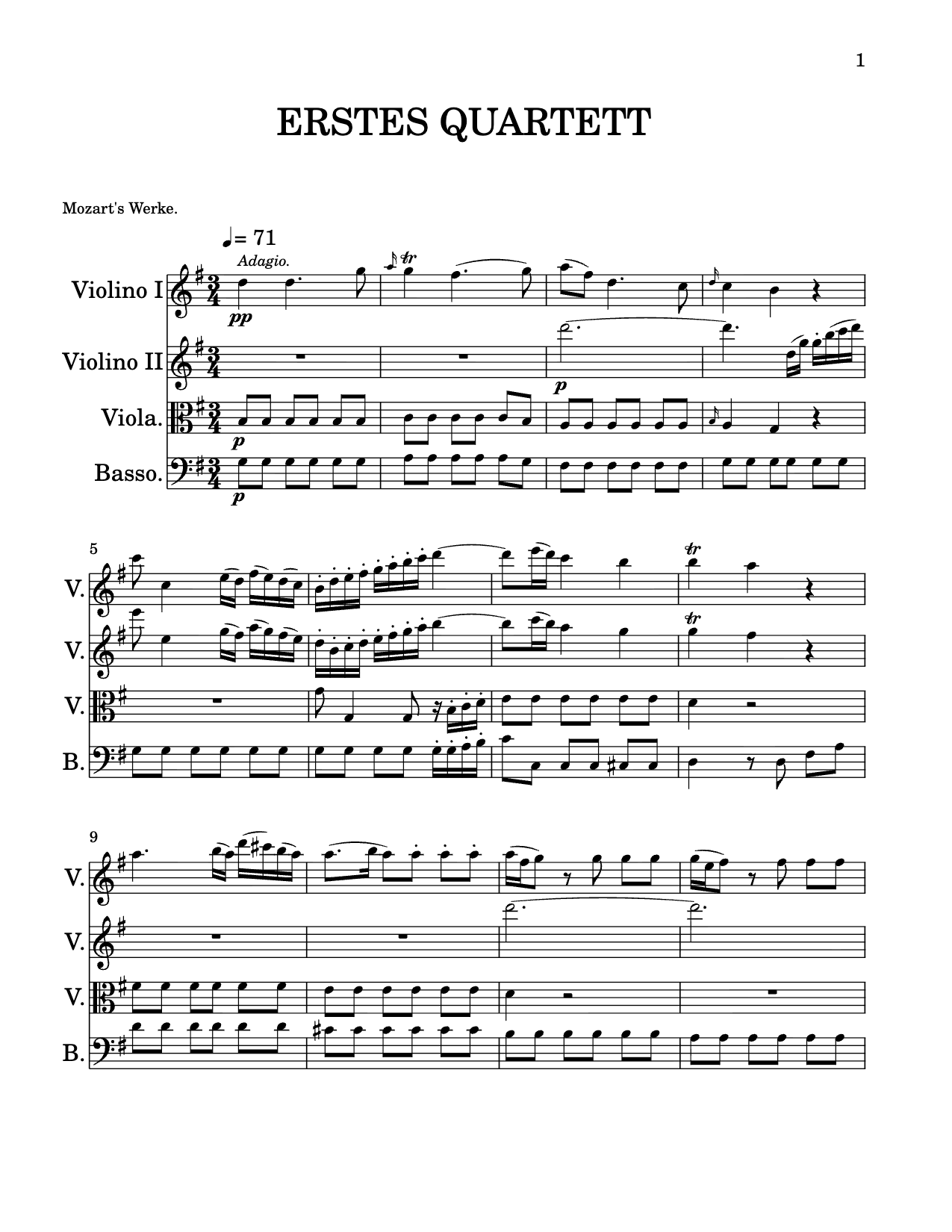 .musicxml
Opuscan keeps the musical meaning - clefs, complex rhythms, chords, lyrics, dynamics and multi-staff layout all carry through, not just the dots.
Opuscan exports standard MusicXML and MIDI, so the score drops straight into the notation software you already work in.
 MuseScoreMusicXML
 DoricoMusicXML
 SibeliusMusicXML
 GarageBandMIDI
MusicXML opens in MuseScore, Dorico, Sibelius, Finale. MIDI drops into GarageBand, Logic Pro, Ableton Live, FL Studio, Cubase, Studio One, Reaper, and any other DAW.
How to convert PDF to MusicXML Import your scans into MuseScore

Flat is the modern notation platform trusted by composers, arrangers, and educators worldwide. Opuscan brings the same recognition engine and obsession with engraving detail to a focused Mac app.
One-time credit packs. One credit per page. Credits don't expire - pick up exactly where you left off.
Opuscan is a native Mac app available on the Mac App Store and requires macOS 14 (Sonoma) or later. Conversion happens in the cloud with Tutteo's own models, so you'll need an internet connection while converting.
Yes. Opuscan uses macOS document scanning, so any scanner your Mac recognizes can send pages straight into a conversion. You can also capture pages with your iPhone using Continuity Camera, or drop in a PDF or images.
Standard MusicXML and MIDI. Open the result directly in Flat, MuseScore, Dorico, or GarageBand, or download the file to use anywhere. MusicXML is the recommended format for notation software.
Opuscan uses one-time credit packs with no subscription - one credit converts one page, and credits never expire. Packs start at €9.99 for 30 pages, and you're only charged when a conversion succeeds.
Clean, printed or engraved music converts with high accuracy across rhythms, chords, lyrics, dynamics and multi-staff layout. The review step flags anything uncertain so you can resolve it before the score is built. See the recognition page for the full picture.
Opuscan for Mac is on the Mac App Store.