Small
$9.99
30 pages
$0.33 per page
- Try it on a few scores
- All export formats
Opuscan reads printed music and PDFs and rebuilds them as a clean, editable score, with pitches, rhythms, lyrics, and layout intact. Convert here, finish in the notation editor you already use.
 Requires Windows 10 or later · Pay only for what you scan · No subscription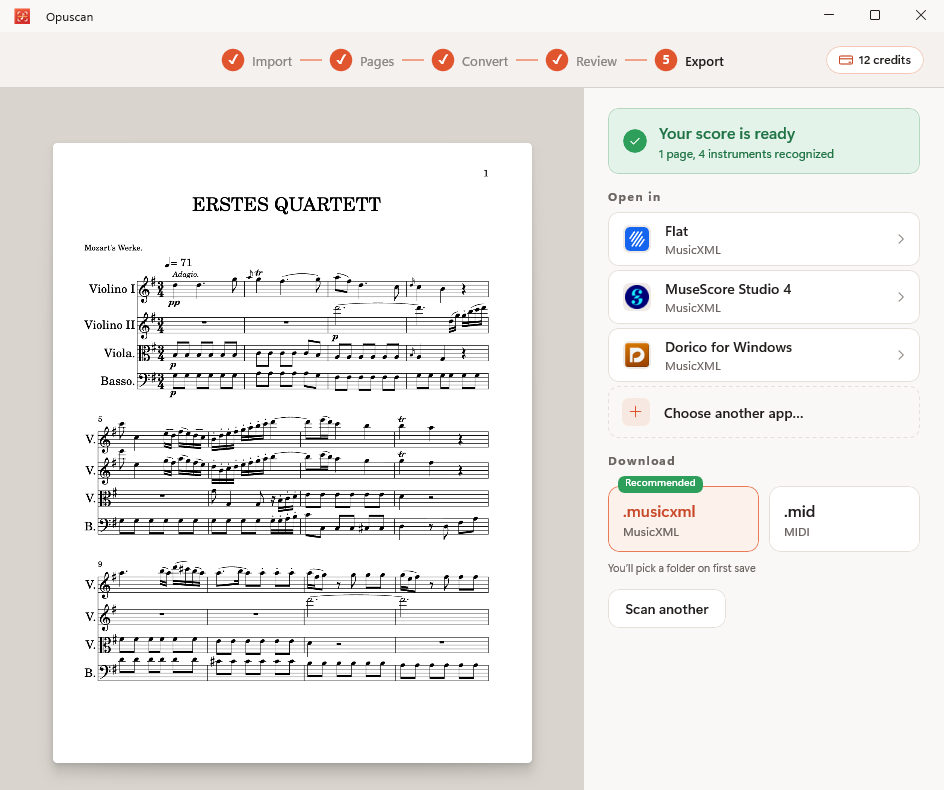
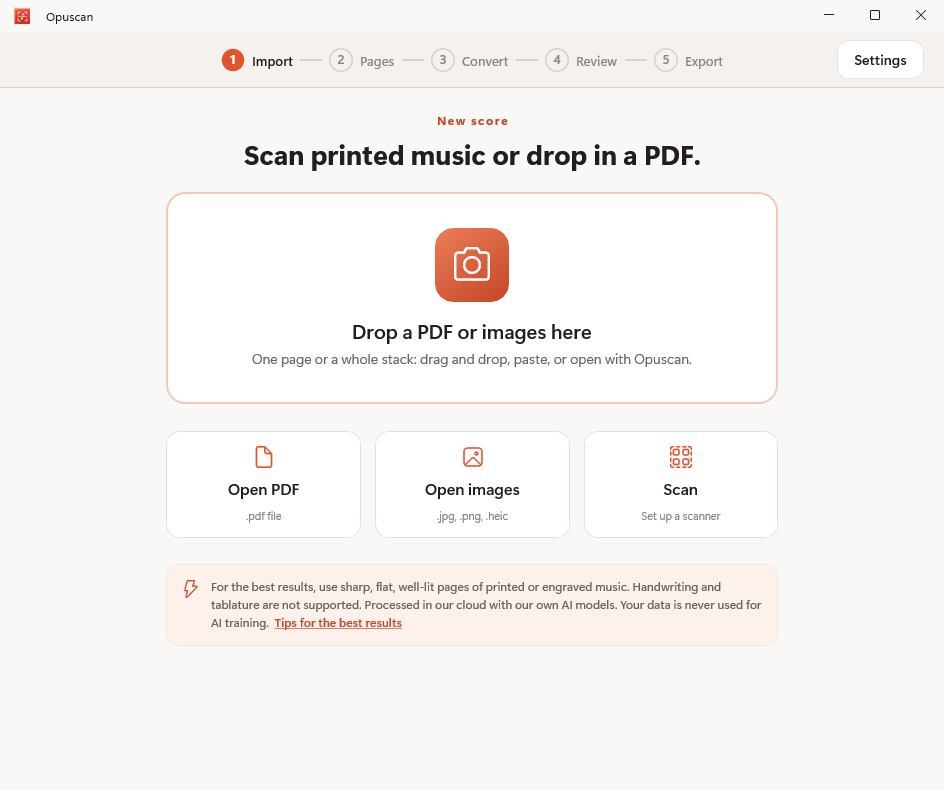
Drag and drop a PDF or photos, open a file, or pull pages straight from a connected scanner. One page or a whole stack.
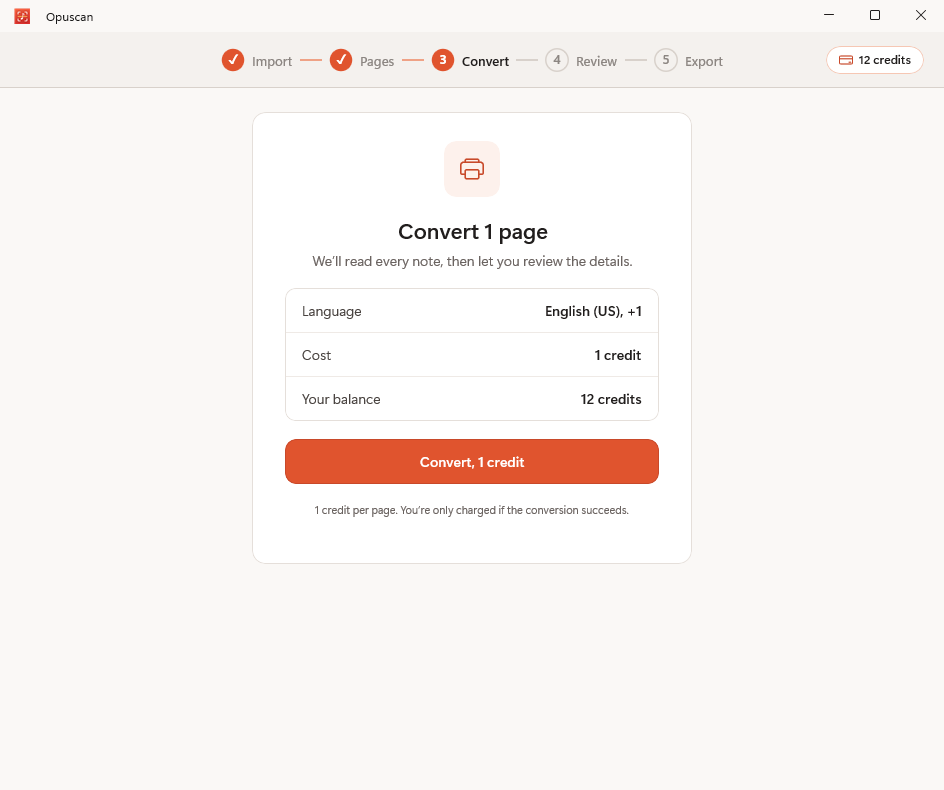
Confirm the language and convert. Opuscan reads the staves, notes, key signature, and tempo in the cloud with Tutteo's own models. One credit per page, and you're only charged when a conversion succeeds.
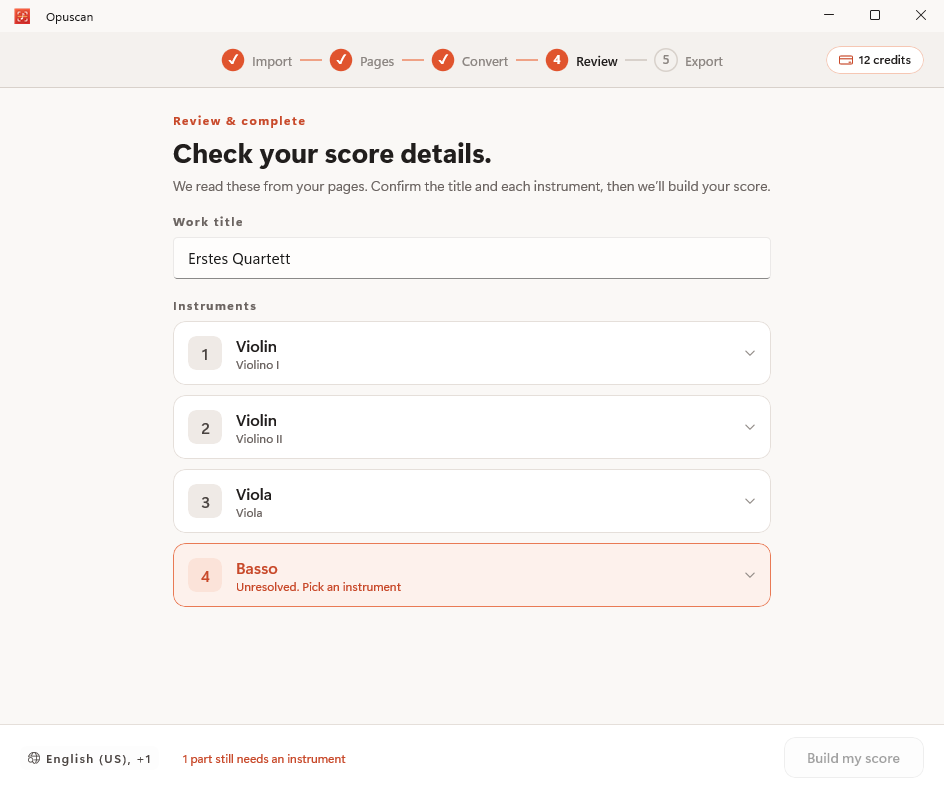
Confirm the title and each detected instrument. Anything the engine wasn't sure about is flagged, so you resolve it before the score is built, not after.
Send the result straight to Flat, MuseScore or Dorico, or download MusicXML and MIDI. Pick a folder once and keep scanning.
Opuscan connects to your scanner, so a connected flatbed or sheet-fed scanner feeds pages directly into a conversion.
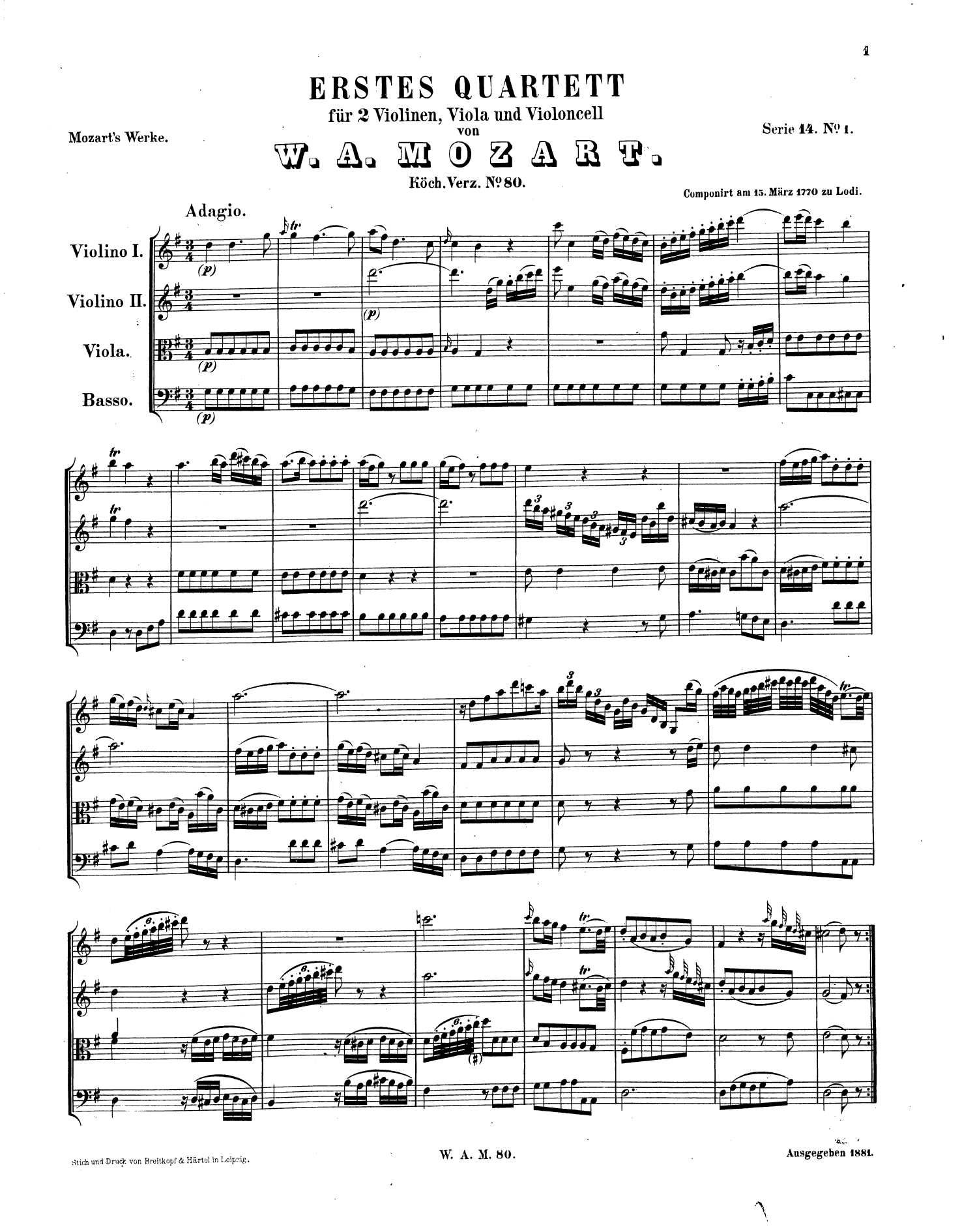
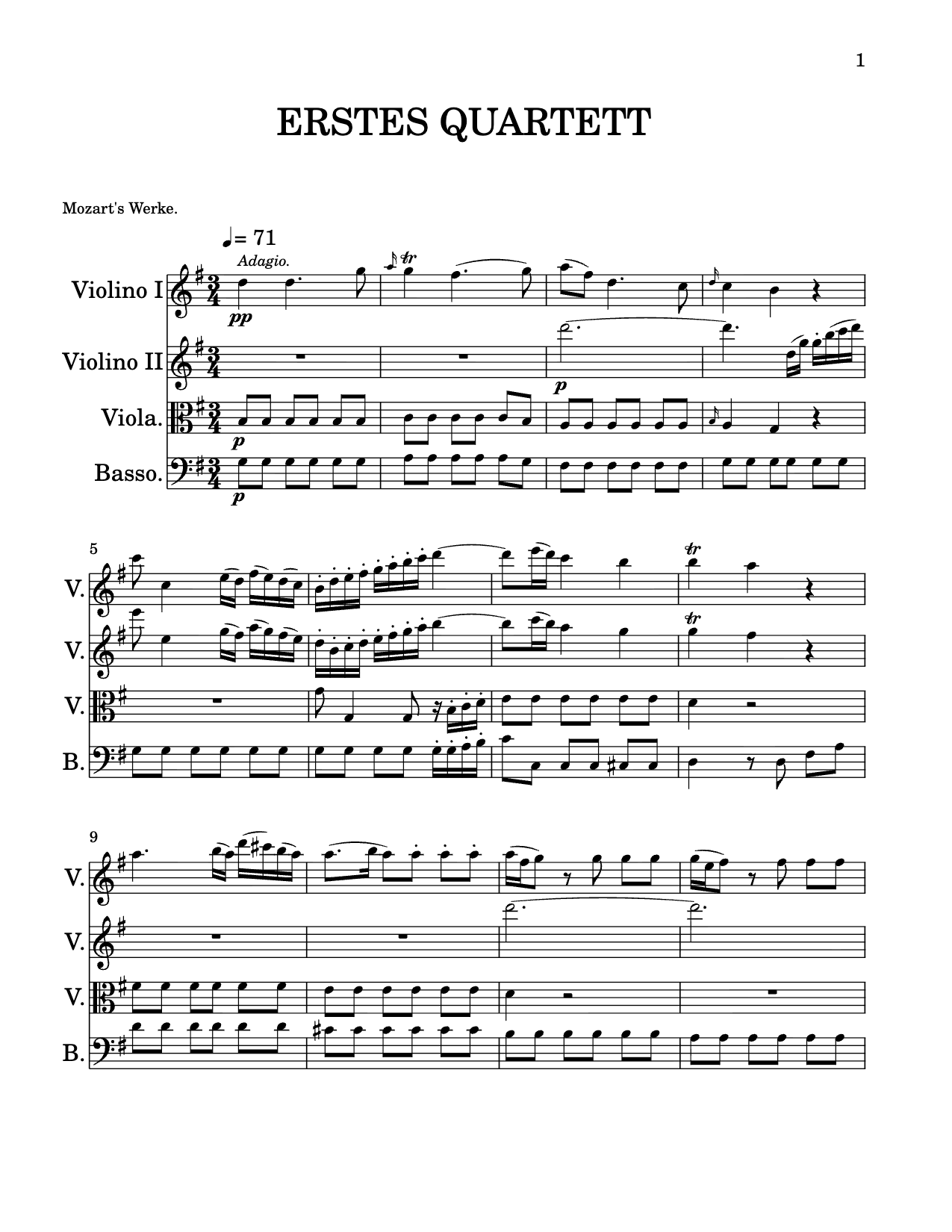 .musicxml
Opuscan keeps the musical meaning - clefs, complex rhythms, chords, lyrics, dynamics and multi-staff layout all carry through, not just the dots.
Opuscan exports standard MusicXML and MIDI, so the score drops straight into the notation software you already work in.
 MuseScoreMusicXML
 DoricoMusicXML
 SibeliusMusicXML
MusicXML opens in MuseScore, Dorico, Sibelius, Finale. MIDI drops into Ableton Live, FL Studio, Cubase, Studio One, Reaper, and any other DAW.
How to convert PDF to MusicXML Import your scans into MuseScore

Flat is the modern notation platform trusted by composers, arrangers, and educators worldwide. Opuscan brings the same recognition engine and obsession with engraving detail to Windows.
One-time credit packs. One credit per page. Credits don't expire. Pick up exactly where you left off.
Opuscan is a native app on the Microsoft Store and runs on Windows 10 or later. Conversion happens in the cloud with Tutteo's own models, so you'll need an internet connection while converting.
Yes. Opuscan works with any scanner connected to your PC, so you can feed pages straight from your scanner, or just drop in a PDF or images.
You can export standard MusicXML and MIDI files. Open the result directly in Flat, MuseScore, or Dorico, or download the file to use anywhere. MusicXML is the recommended format for notation software.
Opuscan uses one-time credit packs with no subscription. One credit converts one page, and credits never expire. Packs start at $9.99 for 30 pages, and you're only charged when a conversion succeeds.
Clean, printed or engraved music converts with high accuracy across rhythms, chords, lyrics, dynamics and multi-staff layout. The review step flags anything uncertain so you can resolve it before the score is built. See the recognition page for the full picture.
Opuscan for Windows is on the Microsoft Store.